Branch Node
The Branch node controls execution flow based on a boolean condition. It routes execution to either the "True" or "False" output based on the condition value.
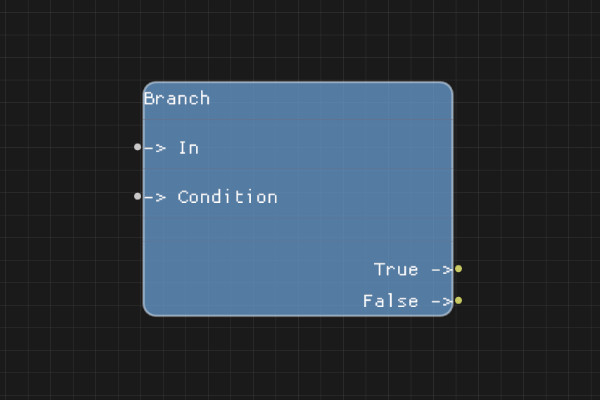
Description
The Branch node is a fundamental flow control node that allows you to create conditional logic in your flows. When execution reaches the Branch node, it evaluates a boolean condition and follows the appropriate execution path.
Execution Inputs
- In (execution): The execution flow enters through this pin
Variable Inputs
- Condition (boolean): The boolean value that determines which path to follow. Accepts "true", "false", "1", "0", "True", "False", or any string that evaluates to a boolean.
Execution Outputs
- True (execution): Execution continues here if the condition is
true - False (execution): Execution continues here if the condition is
false
Variable Outputs
None
Special Notes
- The condition is evaluated as a boolean. Values like "true", "1", "True" are considered
true, while "false", "0", "False", or empty strings are consideredfalse - At least one execution output must be connected for the flow to continue
- The node always evaluates the condition and routes execution accordingly - there is no "else if" functionality (use multiple Branch nodes for complex conditions)
Example Usage
Connect a Branch node after a comparison node to route execution based on the comparison result. For example, after a StringCompare node checking if a value equals "admin", connect the Branch's Condition input to the StringCompare's Result output, then route True to admin-specific nodes and False to regular user nodes.
Flow Download Example
Placeholder for flow download example
Additional Pictures
Placeholder for additional node images and examples