Do N Node
The Do N node executes a block of code a specific number of times.
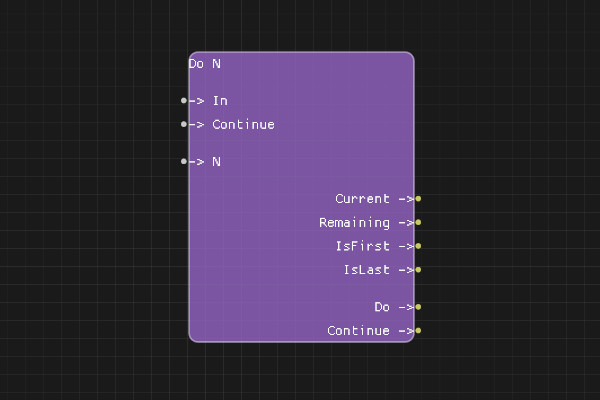
Description
The Do N node is a loop control node that executes a block of code a specified number of times. It's useful for repeating operations or processing items when you know the exact count.
Execution Inputs
- In (execution): The execution flow enters through this pin to start the loop
- Continue (execution): The execution flow returns here after each iteration to continue the loop
Variable Inputs
- Count (integer): The number of times to execute the loop
Execution Outputs
- Do (execution): Execution path for the loop body - executed N times
- Continue (execution): Execution returns here after the loop body to continue to the next iteration
Variable Outputs
- Index (integer): The current iteration index (0-based or 1-based)
Special Notes
- The Count input determines how many times the loop executes
- If Count is 0 or negative, the loop body is not executed
- The Index output provides the current iteration number
- Connect the loop body to "Do" and connect the end of the loop body back to "Continue"
Example Usage
Repeat an operation a specific number of times, such as retrying a failed operation 3 times, or processing a known number of items.
Flow Download Example
Placeholder for flow download example
Additional Pictures
Placeholder for additional node images and examples