Float Node
The Float node provides a floating-point (decimal) number value that can be used as input to other nodes.
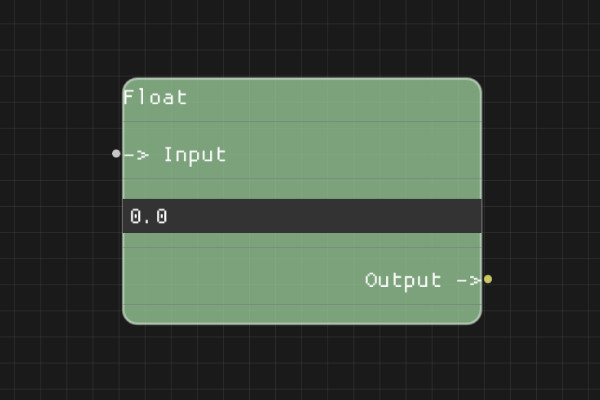
Description
The Float node is a data node that outputs a floating-point number value. You can either set a static float value in the node properties or connect another node's output to provide the float dynamically.
Execution Inputs
None (data node, no execution flow)
Variable Inputs
- Input (float, optional): If connected, uses the value from the connected node. If not connected, uses the value from node properties.
Execution Outputs
None (data node, no execution flow)
Variable Outputs
- Output (float): The floating-point number value to use
Special Notes
- If the Input pin is not connected, the node uses the "value" property
- If the Input pin is connected, it uses the value from the connected node
- Invalid values may cause errors or default behavior
- This node doesn't have execution pins - it's a pure data node
- Use this for decimal numbers (e.g., 3.14, 0.5, 99.9)
Example Usage
Provide decimal values for calculations or comparisons. Connect the Output to nodes that need float input, such as NumberCompare nodes or mathematical operations.
Flow Download Example
Placeholder for flow download example
Additional Pictures
Placeholder for additional node images and examples