Number Compare Node
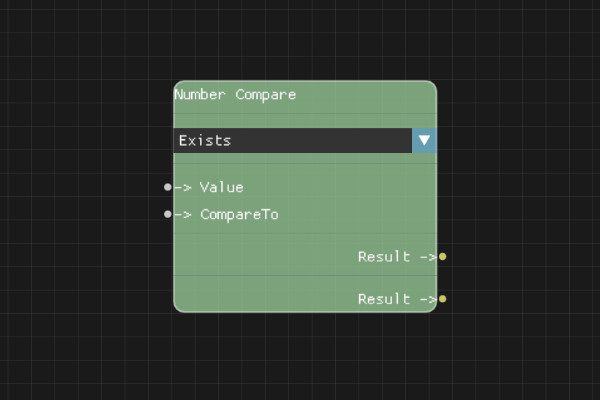
The Number Compare node compares two numeric values using various comparison operators.
Description
The Number Compare node performs numeric comparisons using operators such as equals, greater than, less than, etc. The result is a boolean value that can be used with Branch nodes for conditional logic.
Execution Inputs
None (data node, no execution flow)
Variable Inputs
- Value (number): The first number to compare
- CompareTo (number): The second number to compare against
- ComparisonMode (string, property): The comparison operator:
- "is_equal_to" / "is_not_equal_to"
- "is_greater_than" / "is_greater_than_or_equal_to"
- "is_less_than" / "is_less_than_or_equal_to"
Execution Outputs
None (data node, no execution flow)
Variable Outputs
- Result (boolean):
trueif the comparison succeeds,falseotherwise
Special Notes
- Comparison modes are set in the node properties
- Both inputs must be valid numbers
- Floating-point comparisons may have precision issues
- Use this node for numeric conditions like checking if a count exceeds a threshold
Example Usage
Check if a count is greater than 100, or if a price equals a specific value. Connect the Result to a Branch node's Condition input for conditional execution.
Flow Download Example
Placeholder for flow download example
Additional Pictures
Placeholder for additional node images and examples