Set OpenAI Proxy Node
The Set OpenAI Proxy node configures proxy settings for OpenAI API requests. This is useful when you need to route API calls through a proxy server.
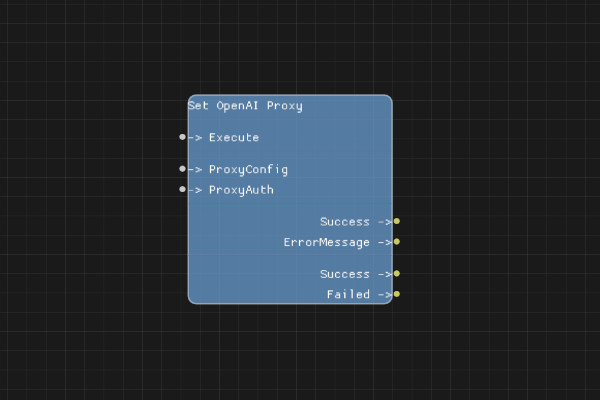
Description
The Set OpenAI Proxy node configures HTTP proxy settings for OpenAI API requests. It supports both basic proxy configuration and proxy authentication.
The proxy configuration is stored in session state and used by all subsequent OpenAI API calls in the flow.
Execution Inputs
- Execute (execution): Triggers the proxy configuration
Variable Inputs
- ProxyConfig (string): The proxy URL in the format
http://host:portorhttps://host:port - ProxyAuth (string, optional): Proxy authentication in the format
username:password(optional)
Execution Outputs
- Success (execution): Execution continues here if the proxy was successfully configured
- Failed (execution): Execution continues here if configuration failed
Variable Outputs
- Success (boolean): "true" if the proxy was successfully configured, "false" otherwise
- ErrorMessage (string): Error message if configuration failed, empty string otherwise
Special Notes
- The proxy configuration is stored in session state
- Proxy URL must be in valid format (
http://orhttps://) - Proxy authentication is optional but must be in
username:passwordformat if provided - Proxy settings apply to all OpenAI API calls after this node executes
- To disable proxy, leave ProxyConfig empty or don't use this node
Example Usage
Configure a proxy without authentication:
- Set ProxyConfig to
http://proxy.example.com:8080 - Leave ProxyAuth empty
- Connect Execute to start the flow
Configure a proxy with authentication:
- Set ProxyConfig to
http://proxy.example.com:8080 - Set ProxyAuth to
username:password - Connect Execute to start the flow
Flow Download Example
Placeholder for flow download example
Additional Pictures
Placeholder for additional node images and examples