Upload File Node
The Upload File node uploads a file to OpenAI's servers for use with fine-tuning or other file-based operations.
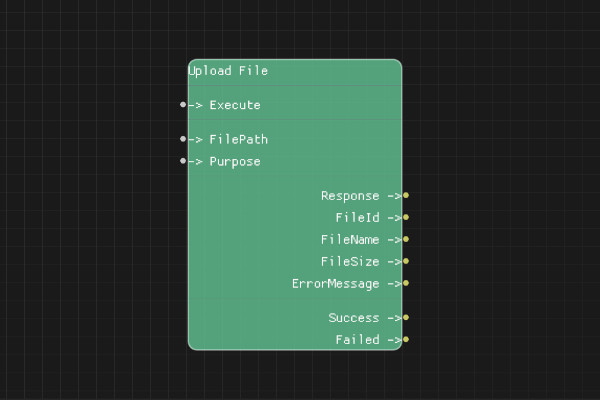
Description
The Upload File node uploads a local file to OpenAI's servers. Uploaded files can be used for fine-tuning models, batch processing, or other file-based API operations.
Execution Inputs
- Execute (execution): Triggers the file upload
Variable Inputs
- FilePath (string): Path to the local file to upload
- Purpose (string): Purpose of the file. Must be one of: "fine-tune", "assistants", "batch", "vision" (default: "fine-tune")
Execution Outputs
- Success (execution): Execution continues here if the upload succeeded
- Failed (execution): Execution continues here if the upload failed
Variable Outputs
- Response (string): Full JSON response from the API
- FileId (string): Unique identifier for the uploaded file
- FileName (string): Name of the uploaded file
- FileSize (integer): Size of the uploaded file in bytes
- ErrorMessage (string): Error message if upload failed
Special Notes
- Requires a valid API key configured via Set API Key node
- File must exist and be readable
- Maximum file size depends on the purpose (typically 512MB for fine-tuning)
- FileId can be used with other OpenAI API operations
- Purpose determines how the file can be used
- Files may take time to process after upload
Example Usage
Upload a file for fine-tuning:
- Set FilePath to "data/training_data.jsonl"
- Set Purpose to "fine-tune"
- Connect Execute to upload
- Use FileId output for fine-tuning operations
Flow Download Example
Placeholder for flow download example
Additional Pictures
Placeholder for additional node images and examples