Retrieve File Node
The Retrieve File node retrieves metadata about a specific file uploaded to OpenAI.
Description
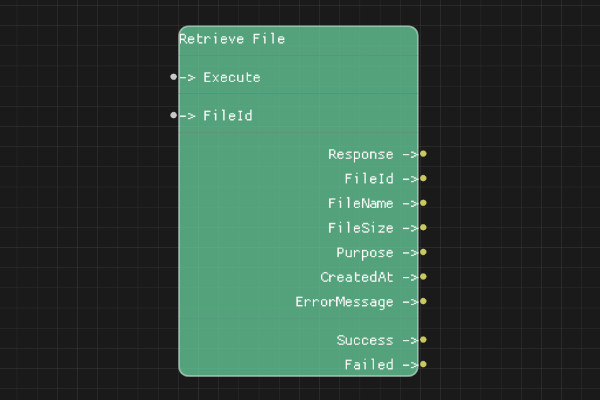
The Retrieve File node gets detailed information about a specific file by its FileId. This includes file name, size, purpose, and creation date.
Execution Inputs
- Execute (execution): Triggers retrieving file information
Variable Inputs
- FileId (string): The unique identifier of the file to retrieve
Execution Outputs
- Success (execution): Execution continues here if the request succeeded
- Failed (execution): Execution continues here if the request failed
Variable Outputs
- Response (string): Full JSON response from the API
- FileId (string): The file identifier
- FileName (string): Name of the file
- FileSize (integer): Size of the file in bytes
- Purpose (string): Purpose of the file (e.g., "fine-tune", "assistants")
- CreatedAt (integer): Unix timestamp when the file was created
- ErrorMessage (string): Error message if request failed
Special Notes
- Requires a valid API key configured via Set API Key node
- FileId must be a valid file identifier from your account
- Use this to verify file information before using it in other operations
- CreatedAt is a Unix timestamp (seconds since epoch)
Example Usage
Retrieve file information:
- Set FileId to a file ID from List Files node or Upload File node
- Connect Execute to retrieve
- Use outputs to get file details (name, size, purpose, etc.)
Flow Download Example
Placeholder for flow download example
Additional Pictures
Placeholder for additional node images and examples