Delete File Node
The Delete File node deletes a file from your OpenAI account.
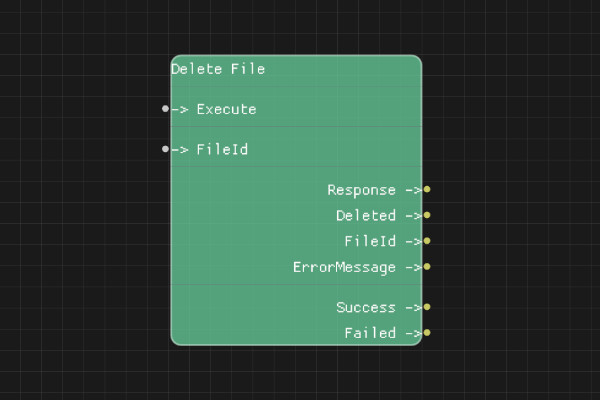
Description
The Delete File node permanently deletes a file from your OpenAI account. This action cannot be undone.
Execution Inputs
- Execute (execution): Triggers deleting the file
Variable Inputs
- FileId (string): The unique identifier of the file to delete
Execution Outputs
- Success (execution): Execution continues here if the deletion succeeded
- Failed (execution): Execution continues here if the deletion failed
Variable Outputs
- Response (string): Full JSON response from the API
- Deleted (boolean): "true" if file was successfully deleted, "false" otherwise
- FileId (string): The deleted file identifier
- ErrorMessage (string): Error message if deletion failed
Special Notes
- Requires a valid API key configured via Set API Key node
- FileId must be a valid file identifier from your account
- Deletion is permanent and cannot be undone
- Some files may be in use and cannot be deleted immediately
- Use with caution - deleted files cannot be recovered
Example Usage
Delete an uploaded file:
- Set FileId to a file ID from List Files node
- Connect Execute to delete
- Check Deleted output to confirm deletion
- Use Success execution output to continue flow
Flow Download Example
Placeholder for flow download example
Additional Pictures
Placeholder for additional node images and examples