Git Clone Node
The Git Clone node clones a remote repository to a local path.
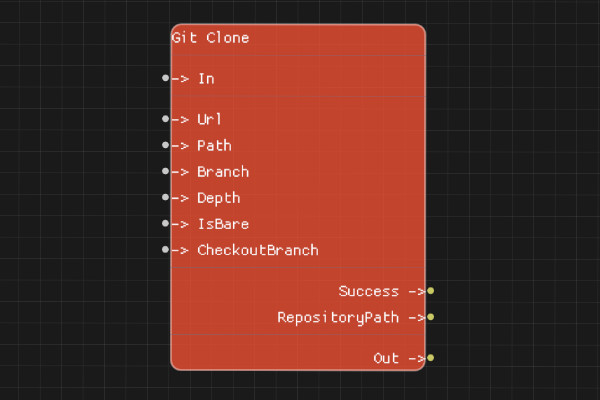
Description
The Git Clone node creates a local copy of a remote Git repository. You can specify the repository URL, destination path, branch, and clone options.
Execution Inputs
- In (execution): Triggers cloning the repository
Variable Inputs
- Url (string): URL of the remote repository to clone
- Path (string): Local path where the repository should be cloned
- Branch (string, optional): Branch to checkout after cloning
- Depth (integer, optional): Shallow clone depth (0 = full clone)
- IsBare (boolean, optional): Whether to create a bare repository (default: false)
- CheckoutBranch (boolean, optional): Whether to checkout the branch after cloning (default: true)
Execution Outputs
- Out (execution): Execution continues here after cloning completes
Variable Outputs
- Success (boolean): "true" if the clone succeeded, "false" otherwise
- RepositoryPath (string): The path to the cloned repository
Special Notes
- Url must be a valid Git repository URL (HTTP, HTTPS, SSH, or file path)
- Path directory will be created if it doesn't exist
- If Path already contains a repository, the operation will fail
- Depth of 0 means full clone, >0 means shallow clone
- Authentication may be required for private repositories
- IsBare creates a repository without a working directory
Example Usage
Clone a repository:
- Set Url to "https://github.com/user/repo.git"
- Set Path to "local-repo" or absolute path
- Optionally set Branch, Depth, IsBare, or CheckoutBranch
- Connect In to clone
- Check Success and use RepositoryPath output
Flow Download Example
Placeholder for flow download example
Additional Pictures
Placeholder for additional node images and examples