Git Push Node
The Git Push node pushes local commits to a remote repository.
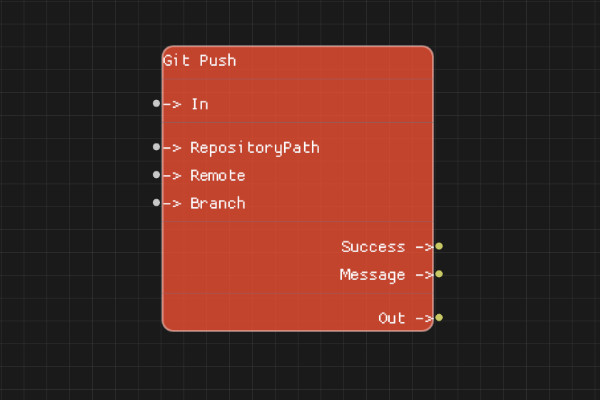
Description
The Git Push node pushes local commits to the specified remote repository and branch. This uploads your local changes to the remote.
Execution Inputs
- In (execution): Triggers pushing to the remote
Variable Inputs
- RepositoryPath (string): Path to the Git repository
- Remote (string, optional): Name of the remote to push to (default: "origin")
- Branch (string, optional): Branch to push (default: "main")
Execution Outputs
- Out (execution): Execution continues here after the push completes
Variable Outputs
- Success (boolean): "true" if the push succeeded, "false" otherwise
- Message (string): Status message from the push operation
Special Notes
- The repository must have commits to push
- Authentication may be required depending on the remote
- If the remote branch is ahead, the push will fail (use force push with caution)
- Remote must be configured in the repository
- RepositoryPath must point to a valid Git repository
Example Usage
Push to remote:
- Set RepositoryPath to the repository path
- Set Remote to "origin" (or leave as default)
- Set Branch to "main" (or leave as default)
- Connect In to push
- Check Success and Message outputs
Flow Download Example
Placeholder for flow download example
Additional Pictures
Placeholder for additional node images and examples