Git Commit Node
The Git Commit node creates a commit with the staged changes in the repository.
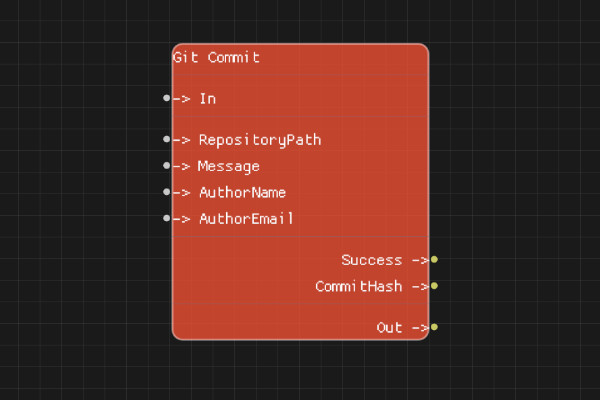
Description
The Git Commit node creates a new commit with all staged changes. You can specify the commit message and author information, or use the default Git configuration.
Execution Inputs
- In (execution): Triggers creating the commit
Variable Inputs
- RepositoryPath (string): Path to the Git repository
- Message (string): Commit message (required)
- AuthorName (string, optional): Author name for the commit. If empty, uses Git default
- AuthorEmail (string, optional): Author email for the commit. If empty, uses Git default
Execution Outputs
- Out (execution): Execution continues here after the commit is created
Variable Outputs
- Success (boolean): "true" if the commit was successfully created, "false" otherwise
- CommitHash (string): The SHA-1 hash of the created commit
Special Notes
- Message is required - the commit will fail if empty
- If AuthorName and AuthorEmail are not provided, Git's default signature is used
- There must be staged changes to commit
- CommitHash is the full 40-character SHA-1 hash
- RepositoryPath must point to a valid Git repository
Example Usage
Create a commit:
- Set RepositoryPath to the repository path
- Set Message to "Add new feature"
- Optionally set AuthorName and AuthorEmail
- Connect In to create the commit
- Check Success and use CommitHash output
Flow Download Example
Placeholder for flow download example
Additional Pictures
Placeholder for additional node images and examples