Git Submodule Add Node
The Git Submodule Add node adds a Git submodule to the repository.
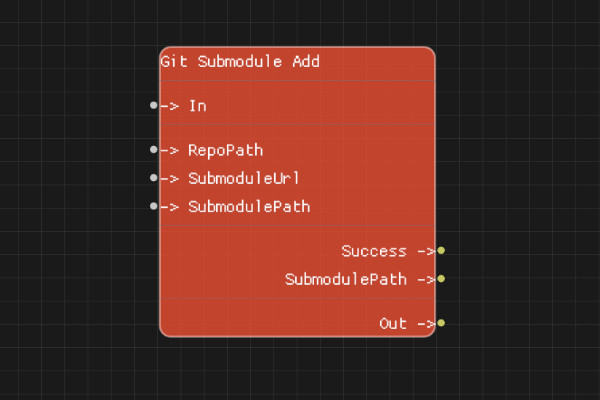
Description
The Git Submodule Add node adds a submodule to the repository. A submodule is a Git repository embedded within another Git repository.
Execution Inputs
- In (execution): Triggers adding the submodule
Variable Inputs
- RepoPath (string): Path to the parent Git repository
- SubmoduleUrl (string): URL of the submodule repository
- SubmodulePath (string): Path where the submodule should be added (relative to repo root)
Execution Outputs
- Out (execution): Execution continues here after adding the submodule
Variable Outputs
- Success (boolean): "true" if the submodule was successfully added, "false" otherwise
- SubmodulePath (string): The actual path where the submodule was added
Special Notes
- SubmodulePath is relative to the repository root
- The submodule will be cloned into the specified path
- The parent repository must be initialized
- Submodule changes must be committed in the parent repository
- SubmoduleUrl must be a valid Git repository URL
Example Usage
Add a submodule:
- Set RepoPath to the parent repository path
- Set SubmoduleUrl to the submodule repository URL
- Set SubmodulePath to "vendor/submodule" (relative to repo root)
- Connect In to add the submodule
- Check Success output
Flow Download Example
Placeholder for flow download example
Additional Pictures
Placeholder for additional node images and examples