Download Generated Image Node
The Download Generated Image node downloads an image from a URL (typically from a Generate Image node) and saves it to a local file.
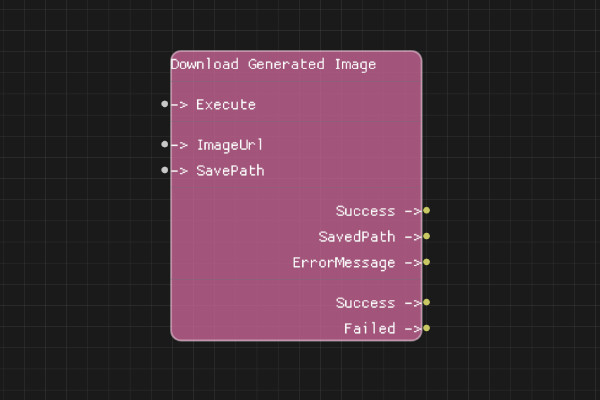
Description
The Download Generated Image node downloads an image from a URL and saves it to a specified file path. This is useful for saving generated images from DALL-E to your local filesystem.
Execution Inputs
- Execute (execution): Triggers the image download
Variable Inputs
- ImageUrl (string): URL of the image to download (typically from Generate Image node)
- SavePath (string): Local file path where the image should be saved
Execution Outputs
- Success (execution): Execution continues here if the download succeeded
- Failed (execution): Execution continues here if the download failed
Variable Outputs
- Success (boolean): "true" if image was successfully downloaded, "false" otherwise
- SavedPath (string): The full path where the image was saved
- ErrorMessage (string): Error message if download failed
Special Notes
- The ImageUrl must be a valid, accessible URL
- The SavePath directory must exist or be creatable
- The file will be overwritten if it already exists
- Image URLs from OpenAI may expire after some time
- The node handles HTTP/HTTPS downloads
Example Usage
Download a generated image:
- Connect ImageUrl from Generate Image node's ImageUrl output
- Set SavePath to "images/generated_image.png"
- Connect Execute to download
- Use SavedPath output to reference the saved file
Flow Download Example
Placeholder for flow download example
Additional Pictures
Placeholder for additional node images and examples