Import Conversation Node
The Import Conversation node imports a conversation from JSON format, restoring all messages and metadata.
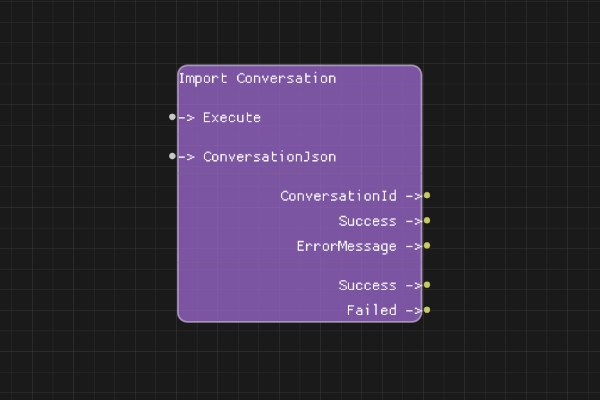
Description
The Import Conversation node restores a conversation from a JSON string exported by Export Conversation node. This allows you to restore conversation history, system messages, and continue conversations across sessions.
Execution Inputs
- Execute (execution): Triggers importing the conversation
Variable Inputs
- ConversationJson (string): JSON string containing the conversation data (from Export Conversation node)
Execution Outputs
- Success (execution): Execution continues here if conversation was successfully imported
- Failed (execution): Execution continues here if import failed
Variable Outputs
- ConversationId (string): The conversation ID of the imported conversation (may be new or restored)
- Success (boolean): "true" if conversation was successfully imported, "false" otherwise
- ErrorMessage (string): Error message if import failed
Special Notes
- The ConversationJson must be valid JSON in the format exported by Export Conversation node
- The imported conversation gets a new conversation ID (or restores the original if available)
- All messages and system message are restored
- Imported conversations can be used immediately with chat completion nodes
Example Usage
Import a saved conversation:
- Load the conversation JSON from a file using Load Text File node
- Connect the JSON content to ConversationJson input
- Connect Execute to import
- Use ConversationId output with chat completion nodes to continue the conversation
Flow Download Example
Placeholder for flow download example
Additional Pictures
Placeholder for additional node images and examples