Update Conversation Node
The Update Conversation node updates a conversation with an assistant's response. This is used to manually add assistant messages to the conversation history.
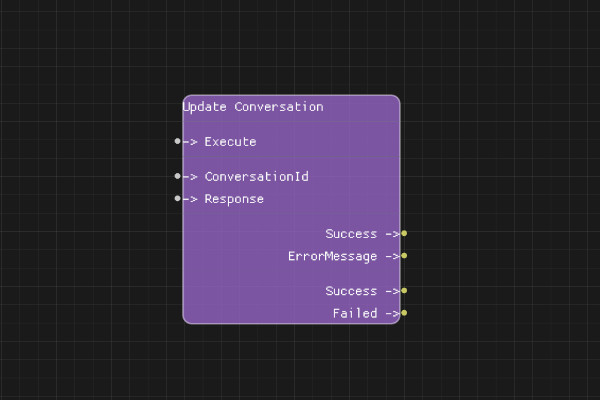
Description
The Update Conversation node adds an assistant message to the conversation history. This is typically used when you need to manually update the conversation with a response, such as when processing function call results.
Execution Inputs
- Execute (execution): Triggers updating the conversation
Variable Inputs
- ConversationId (string): The conversation ID from Create Conversation node
- Response (string): The assistant's response message to add
Execution Outputs
- Success (execution): Execution continues here if conversation was successfully updated
- Failed (execution): Execution continues here if update failed
Variable Outputs
- Success (boolean): "true" if conversation was successfully updated, "false" otherwise
- ErrorMessage (string): Error message if operation failed
Special Notes
- The conversation must exist (created via Create Conversation node)
- This node is typically used after processing function calls
- The response is added as an assistant message to the conversation history
- Maximum response size is 1MB
Example Usage
Update conversation after processing a function call:
- Connect ConversationId from Create Conversation node
- Set Response to the function call result or assistant message
- Connect Execute to update the conversation
- Connect Success output to continue the flow
Flow Download Example
Placeholder for flow download example
Additional Pictures
Placeholder for additional node images and examples